
Actualog is an innovative cloud-based social Product Information Management platform that brings together the expertise and knowledge of the manufacturers and most competent customers around the world. Actualog helps companies to share information about products, materials and technologies focusing on complex technical products using the ideas of social interaction.
Lifecycle stage
Removed from service
Communities
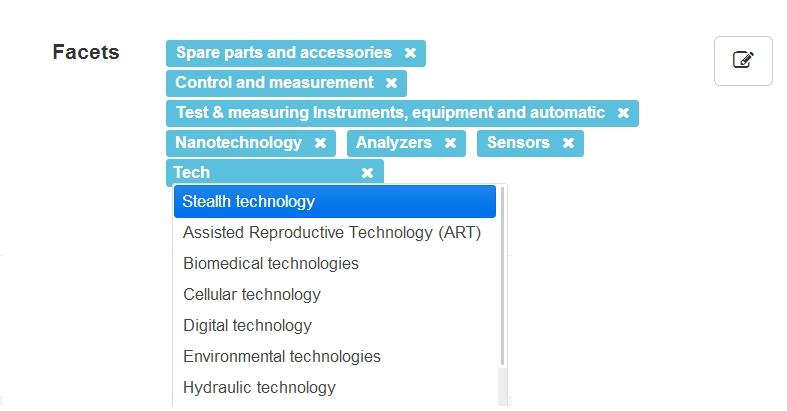
Facets
Facets
Product gallery
6 product images



Attributes
General
Supports multiple languages
The ability to manage information in the system in multiple languages
Multi-lingual solution
Collaboration, notifications, and integration
User actions history
Whether the software records a reviewable history of user actions. Retain its documented scope, access and retention restrictions. It helps assess traceability; the feature does not imply that every action is recorded or that records are immutable.
Has a history of actions
Multi-user support
Whether the software supports use by more than one user within the same installation or service environment. Use the documented capability of the described edition. It helps assess shared use but does not specify concurrency limits, permissions or the number of licences included.
Yes
Guest users
Whether the software supports external or guest participants with a distinct access role. Use the documented permissions of the described edition. It helps assess collaboration; guest access does not imply that those users are free of charge or outside licence limits.
API support
Whether the software provides a documented application programming interface for access to its functions or data. Use Yes only when an API is available for the described edition. It helps assess integration options; a file import or unspecified integration feature alone does not establish API availability.
Data import/export formats
The data formats or exchange mechanisms documented for importing or exporting information. Preserve transfer direction and distinguish file formats from APIs and transport mechanisms. They help assess data exchange; import support does not imply export support.
User interface
The means through which a user interacts with the software, such as a graphical, command-line, touch or voice interface. Select the supported interaction methods for the described release. They affect usability and accessibility; the interface method is separate from where the software is hosted.
WEB
Authentication method
The mechanisms documented for authenticating users or integrations to the software. Preserve each mechanism and its version or configuration requirements. They help assess access integration; a protocol, an additional authentication factor and an account-directory connection are distinct capabilities.
Training
The training resources or delivery methods offered for the product. Distinguish included and separately purchased training. It helps plan adoption; training availability does not establish an operator's qualification or entitlement to every course.
Documentation
Data model
Attribute types
Supported attribute types for categories
Text; Numeric; Logical; List
Attributes Inheritance
Inheriting attributes from the parent to the child category
Yes
Synonyms for categories
Option add synonyms for categories
Yes
Numeric attribute options
Allowed settings for numeric attributes: range, interest, tolerances, maximum and minimum values, integers and fractional bits, etc.
Range; Percentage; Permissible deviations; Multiple values; Numbers and decimals settings; Maximum and minimum settings; Negative values settings
License and access
License model
The licence or access arrangement for the software edition. Preserve distinctions between payment duration, usage rights and source-code licensing. It helps assess acquisition terms; subscription, free access and open-source rights are different dimensions.
Subscription
Pricing policy
The basis used to calculate a software or service price, such as users, usage or capacity. Record the provider's basis for the described offer. It helps compare commercial arrangements; it is not a technical capacity limit or a price by itself.
Number of objects
Free trial
Whether a free trial is offered for the described software edition or service. Retain its duration, limitations and eligibility separately. It helps assess evaluation options; a free trial does not mean ongoing use is free.
Yes
Free version
Whether a software version is available without a licence or subscription charge. Retain its feature and usage limits. It helps identify no-charge access options; a free version is not necessarily open-source or unrestricted.
Yes
Recommended number of users
The number of users recommended under the manufacturer's stated usage assumptions. Preserve whether it describes people served, software users or another context. It helps estimate suitability; it is not automatically a concurrency limit or licence entitlement.
Notifications
Email notifications
Whether the software sends notifications by email. Use the documented capability of the described edition and retain configuration or subscription requirements. It helps assess event delivery options; it does not guarantee delivery or coverage of every event.
e-mail notifications
System notifications
Whether software presents notifications within its own interface. Use the capability documented for the described edition. It helps assess event visibility; internal notifications do not imply email, mobile or external-system delivery.
Yes
Version and deployment
Version
*
The version or release designation of the software being described. Record the exact manufacturer-issued identifier, including significant build or suffix information. It helps identify compatibility and documentation requirements; a version string does not by itself indicate support status.
beta
Software Installation options
The locations or computing environments in which software can be installed or used. Preserve local, organisation-server and hosted-service distinctions. It helps plan deployment; existing values need explicit mapping before consolidation with another deployment field.
Personal PC; Corporate Server; SaaS Cloud Solution
Deployment model
The environments in which the software is supplied to run, such as a provider-hosted service, customer-managed server or local device. Select the arrangements offered for the described edition. It helps assess hosting and installation responsibilities; a browser interface alone does not identify a hosting model.
Supported platform / OS
The operating systems and runtime environments on which the software release is supported. Select documented platforms and retain version and architecture restrictions in the system requirements. It helps check compatibility; a platform name does not imply support for every release or device using it.
User interface languages
The languages in which the software's user interface is available. Select those explicitly supported by the described edition or release. They help assess usability for the team; languages accepted as input, translated by the software or used only in documentation are separate capabilities.
System requirements
The hardware, operating-system, runtime and other prerequisites for installing or using the software. Record the manufacturer's minimum and recommended requirements separately, including version and architecture restrictions. They help assess deployment feasibility; minimum requirements do not promise performance at every workload.
Update model
The documented ways in which software updates are supplied or installed. Select the applicable arrangements and retain version and support conditions. They help plan maintenance and change control; an update mechanism does not guarantee future updates or a specified support lifetime.
Continuous SaaS